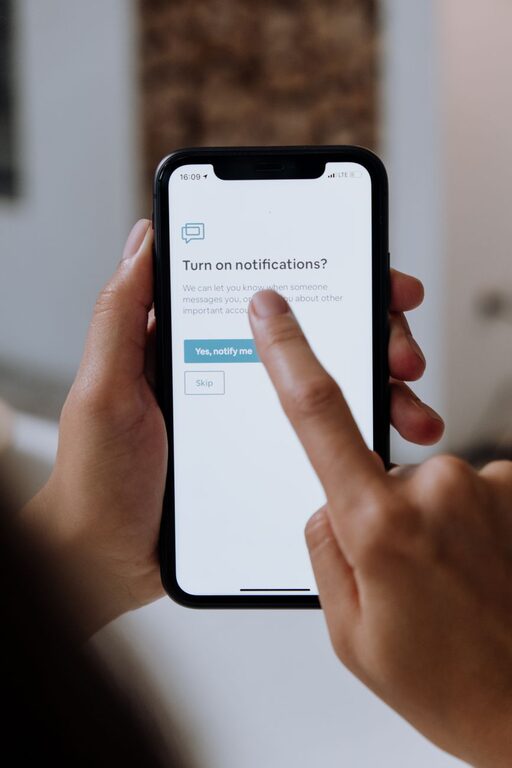
In today’s connected world, notifications ping us constantly—from emails and messages to social media updates and app alerts. While notifications can be helpful, too many can clutter our attention, increase stress, and interrupt important tasks. Setting boundaries with notifications is key to maintaining focus, improving productivity, and protecting your well-being.
This post offers practical tips to help you create healthy limits around notifications, so you stay in control of your digital life.
Why Set Boundaries with Notifications?
Notifications are designed to grab your attention. However, when they come at all hours or too frequently, they can:
– Distract you from work or study
– Interrupt quality time with family or friends
– Make it hard to relax and unwind
– Increase feelings of anxiety or overwhelm
By setting boundaries, you decide when and how you receive updates. This helps preserve your focus and mental clarity.
Tips for Managing Notifications Effectively
1. Audit Your Notifications Regularly
Start by reviewing which apps and services send you notifications. Ask yourself:
– Do I really need alerts from this app?
– Are some notifications more important than others?
– Can I check this app on my own schedule instead?
Delete or disable notifications from apps that don’t add value or cause distractions.
2. Use Do Not Disturb Modes
Most smartphones and computers offer “Do Not Disturb” or similar features. Use these to block all or selected notifications during:
– Work or study hours
– Sleep time
– Personal or family time
Customize settings to allow calls or messages from important contacts to come through if needed.
3. Set Specific Notification Times
Rather than reacting to each alert immediately, schedule specific times to check notifications and messages. For example:
– Check emails only twice a day (morning and afternoon)
– Review social media after work or during breaks
This reduces constant interruptions and helps you focus.
4. Customize Notification Settings
Look into each app’s notification settings. Adjust preferences such as:
– Sound or vibration on/off
– Banner or pop-up alerts
– Notification priority (some apps allow you to mark notifications as important or silent)
Tailor these settings based on how critical the notifications are.
5. Use Separate Devices or Accounts
If you manage both personal and work notifications on one device, it can get overwhelming. Consider:
– Using separate phones or tablets for work and personal use
– Using different email accounts for work and personal messages
This helps contain notifications to relevant contexts.
6. Turn Off Non-Essential Notifications at Night
Sleep is important for overall health. Silence all notifications during your scheduled sleep hours to avoid being disturbed.
Many phones allow you to set a “bedtime” mode to automatically mute alerts and reduce blue light.
7. Practice Mindful Notification Checking
When you do check notifications, do it mindfully:
– Avoid scrolling endlessly through updates
– Address only what requires immediate action
– Close apps when finished to prevent re-notifications
Mindful usage helps prevent notification overwhelm.
8. Inform Others of Your Boundaries
Let colleagues, friends, and family know your notification boundaries. For example, you might say:
– “I’ll answer work messages during office hours only.”
– “Please call me in case of emergencies instead of texting.”
Clear communication helps others respect your limits.
Tools and Apps That Can Help
Several apps and built-in tools can support your notification management efforts:
– Focus mode apps to block distractions temporarily
– Email filters and rules to prioritize important messages
– Notification summary features available on iOS and Android to bundle alerts
– Task management apps to track notifications requiring action
Experiment with tools that fit your lifestyle and work habits.
Final Thoughts
Setting boundaries with notifications is about reclaiming control over your time and attention. By thoughtfully managing alerts and creating intentional habits, you reduce distractions and create space for what truly matters.
Start small—try turning off non-essential notifications for a day or using “Do Not Disturb” during a focused task. Over time, these habits build up to a healthier, more balanced digital experience.
About the Author