
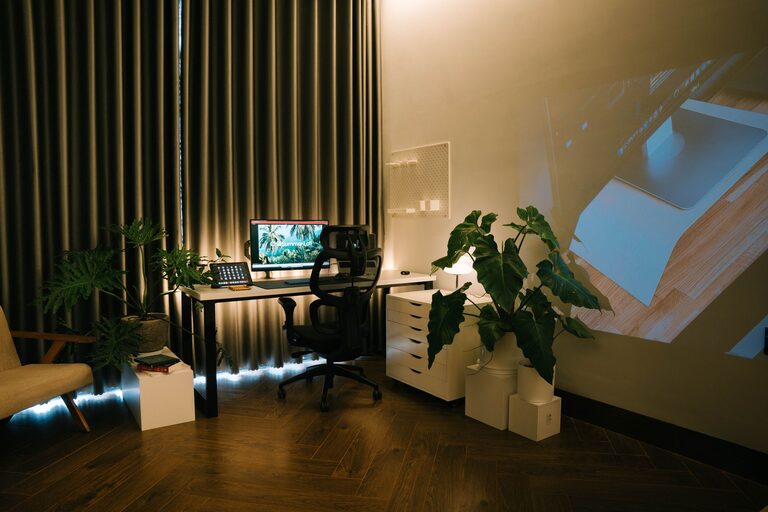
Creating a relaxing home workspace is essential for anyone working remotely or spending significant time on home projects. A calm, organized environment not only helps you stay focused but also reduces stress and increases overall well-being. Whether you have a dedicated room or just a small corner, this guide will provide you with practical tips to transform your space into a peaceful and productive work zone.
Why a Relaxing Workspace Matters
A workspace that feels comfortable and inviting can improve your mood and efficiency. When your environment is cluttered and uncomfortable, it can distract you and lower motivation. Designing a relaxing workspace means creating a place where you can focus without feeling overwhelmed.
—
Step 1: Choose the Right Location
Pick a Quiet Spot
Select a part of your home with minimal noise and distractions. If possible, choose a room or area separate from common living spaces.
Maximize Natural Light
Natural light boosts mood and energy. Place your desk near a window to take advantage of daylight. If natural light is limited, try daylight bulbs or soft white LED lights to brighten your area.
—
Step 2: Invest in Comfortable Furniture
Ergonomic Chair and Desk
Comfort is key. A supportive chair with adjustable height and backrest helps reduce strain. Your desk should be roomy enough to hold your computer, stationery, and other essentials without feeling cramped.
Adjustable Desk Options
Consider a sit-stand desk if you want flexibility. Changing positions during the day can enhance comfort and focus.
—
Step 3: Organize and Declutter
Use Storage Solutions
Keep your workspace tidy with shelves, drawers, or organizers. This reduces visual clutter and helps you find items quickly.
Minimalism Helps Relaxation
Limit knickknacks and unnecessary items on your desk. A clean surface promotes a clear mind.
—
Step 4: Personalize Thoughtfully
Add Touches of Nature
Plants bring life to your space and improve air quality. Choose low-maintenance plants like succulents or pothos.
Include Inspirational Elements
Photos, artwork, or motivational quotes can brighten your mood but keep decorations balanced to avoid clutter.
—
Step 5: Manage Lighting and Sound
Layer Your Lighting
Combine overhead lights with task lamps to avoid eye strain. Soft lighting creates a cozy atmosphere.
Use Sound to Your Advantage
If outside noise is an issue, use noise-cancelling headphones or play calming background music or white noise to maintain focus.
—
Step 6: Maintain a Comfortable Temperature
Working in a space that’s too hot or cold can be distracting. Use fans, heaters, or open windows to keep your workspace comfortable.
—
Step 7: Establish a Routine and Keep It Separate
Dedicated Work Hours
Setting specific work times helps your brain switch into “work mode” and relax afterward.
Avoid Multitasking Zones
Try not to mix your workspace with areas for eating or sleeping. This separation helps maintain work-life balance.
—
Bonus Tips for a Relaxing Workspace
– Use calming colors: Soft blues, greens, or neutrals support relaxation.
– Add aromatherapy: Essential oils like lavender or eucalyptus can create a peaceful vibe.
– Take breaks: Step away regularly to stretch or breathe deeply, which keeps stress low.
—
Conclusion
Creating a relaxing home workspace is a blend of thoughtful design, organization, and personal touches. By focusing on comfort, light, sound, and simplicity, you can build a space that supports your productivity and well-being. Start small and make changes gradually until your workspace feels just right for you.
Remember, a well-planned workspace doesn’t just make work easier; it makes it more enjoyable. Happy working!
About the Author