Setting up a dedicated charging station for your devices can save time, reduce clutter, and keep all your gadgets powered and ready to go. Whether you want a spot at home, in your office, or another favorite space, a well-organized charging station offers a simple solution to managing multiple devices like smartphones, tablets, headphones, and more.
In this post, we’ll walk you through everything you need to know to create a functional and attractive charging station tailored to your needs.
Why Create a Charging Station?
– Declutter your space: No more tangled cables or searching for chargers.
– Save time: Charge multiple devices at once in one place.
– Protect your devices: Avoid leaving devices charging in unsafe or inconvenient spots.
– Improve aesthetics: A tidy station looks good and streamlines your daily routine.
—
Step 1: Choose the Right Location
Pick a central, accessible spot where you and your family or colleagues can easily plug in devices. Common spots include:
– A desk or table in a home office
– A corner of the living room or kitchen counter
– Near your bedside table
– A dedicated charging shelf or nook
Look for a place close to power outlets but away from water sources or areas prone to spills.
—
Step 2: Gather Your Charging Equipment
You’ll need a few key items to get started:
– Power strip or multi-port USB charger: Select one with enough outlets and USB ports to cover all your devices.
– Charging cables: Keep different types handy, such as Lightning cables for Apple devices, USB-C, and micro-USB.
– Cable organizers: Clips, ties, or stands to keep cords tidy.
– Device holders or stands: Optional but helpful for keeping devices upright and visible while charging.
Make sure your power strip has surge protection to guard your devices against electrical spikes.
—
Step 3: Organize Your Cables
Managing cables is key to a neat charging station. Here are some tips:
– Use cable clips or hooks: Attach them to the edge of your desk or wall to guide cables.
– Label cables: Especially if you have several similar chargers, to avoid confusion.
– Shorten excess cable length: Use cable ties or Velcro wraps to bundle up extra length.
– Consider a charging dock: Some docks come with built-in cable management.
Keeping cables untangled not only improves appearance but also prevents wear and tear.
—
Step 4: Set Up Device Spots
Decide how you want to place your devices while charging:
– Charging stands: Great for smartphones and tablets; they hold devices upright for easy use.
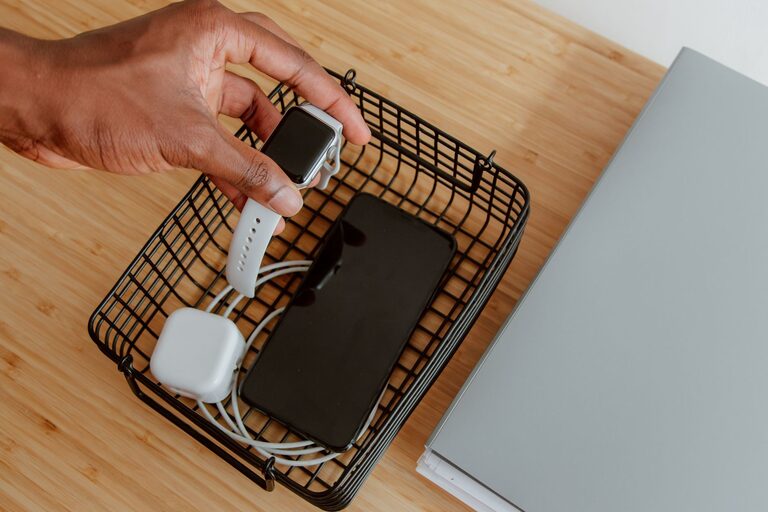
– Trays or baskets: Useful for smaller devices like earbuds or smartwatches.
– Shelves with charging ports: Some furniture pieces are designed with built-in charging hubs.
Make sure each device has a dedicated spot to avoid overlap and confusion.
—
Step 5: Add Extras for Convenience
Consider these ideas to enhance your charging station:
– Label spots: Use small labels or stickers to mark where each device belongs.
– Add a small lamp or nightlight: Useful for low light areas.
– Include a small decorative element: A plant or photo frame can make the area inviting.
– Wireless charging pads: For devices that support wireless charging, these pads reduce cable clutter.
—
Step 6: Maintain and Update Your Charging Station
Once your station is set up, keep it clean and organized:
– Wipe surfaces regularly.
– Check cables for damage and replace if needed.
– Remove chargers or cables you no longer use.
– Occasionally rearrange for better efficiency.
—
Bonus Tips
– Safety first: Avoid overloading power strips and keep cords away from walkways.
– Travel version: Pack a smaller station with a multi-port charger and cables for trips.
– Family-friendly: Create separate charging zones if you have multiple users.
—
Conclusion
A well-planned charging station keeps your devices powered, organized, and easy to access. By selecting a good location, organizing cables, and adding useful extras, you can simplify your daily charging routine and reduce clutter. Whether for home or work, a personalized charging station is a small project that makes a big difference.
Try these steps today and enjoy a more organized, efficient space for all your tech devices!
About the Author